现在,我们来迁移植物说明。fragment_plant_detail.xml 中的代码具有包含 app:renderHtml="@{viewModel.plant.description}" 的 TextView,用于告知 XML 在界面上显示哪些文本。renderHtml 是一个绑定适配器,可在 PlantDetailBindingAdapters.kt 文件中找到。该实现使用 HtmlCompat.fromHtml 在 TextView 上设置文本!
@BindingAdapter("renderHtml")
fun bindRenderHtml(view: TextView, description: String?) {
    if (description != null) {
        view.text = HtmlCompat.fromHtml(description, FROM_HTML_MODE_COMPACT)
        view.movementMethod = LinkMovementMethod.getInstance()
    } else {
        view.text = ""
    }
}
但是,Compose 目前不支持 Spanned 类,也不支持显示 HTML 格式的文本。因此,我们需要在 Compose 代码中使用 View 系统中的 TextView 来绕过此限制。
由于 Compose 目前还无法呈现 HTML 代码,因此您需要使用 AndroidView API 程序化地创建一个 TextView,从而实现此目的。
AndroidView 使您能够在 View 的 factory lamba 中构建该 View。它还提供了一个 update lambda,它会在 View 膨胀和后续重组时被调用。
注意:AndroidView 使您能够程序化地创建 View。如果您想膨胀 XML 文件中的 View,可以结合使用视图绑定与 androidx.compose.ui:ui-viewbinding 库中的 AndroidViewBinding API。
为此,请创建新的 PlantDescription 可组合项。此可组合项将调用 AndroidView,后者会在 factory lambda 中构造 TextView。在 factory lambda 中,初始化显示 HTML 格式文本的 TextView,然后将 movementMethod 设置为 LinkMovementMethod 的实例。最后,在 update lambda 中将 TextView 的文本设置为 htmlDescription。
PlantDetailDescription.kt
@Composable
private fun PlantDescription(description: String) {
    // Remembers the HTML formatted description. Re-executes on a new description
    val htmlDescription = remember(description) {
        HtmlCompat.fromHtml(description, HtmlCompat.FROM_HTML_MODE_COMPACT)
    }

    // Displays the TextView on the screen and updates with the HTML description when inflated
    // Updates to htmlDescription will make AndroidView recompose and update the text
    AndroidView(
        factory = { context ->
            TextView(context).apply {
                movementMethod = LinkMovementMethod.getInstance()
            }
        },
        update = {
            it.text = htmlDescription
        }
    )
}

@Preview
@Composable
private fun PlantDescriptionPreview() {
    MaterialTheme {
        PlantDescription("HTML<br><br>description")
    }
}
预览:
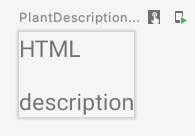
请注意,htmlDescription 会记住作为参数传递的指定 description 的 HTML 说明。如果 description 参数发生变化,系统会再次执行 remember 中的 htmlDescription 代码。
因此,如果 htmlDescription 发生变化,AndroidView 更新回调将重组。在 update lambda 中读取的任何状态都会导致重组。
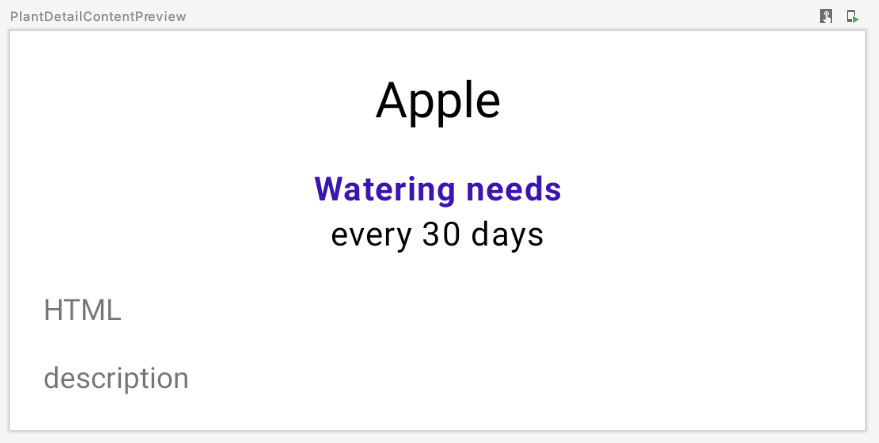
我们将 PlantDescription 添加到 PlantDetailContent 可组合项,并更改预览代码,以便同样显示 HTML 说明:
PlantDetailDescription.kt
@Composable
fun PlantDetailContent(plant: Plant) {
    Surface {
        Column(Modifier.padding(dimensionResource(R.dimen.margin_normal))) {
            PlantName(plant.name)
            PlantWatering(plant.wateringInterval)
            PlantDescription(plant.description)
        }
    }
}

@Preview
@Composable
private fun PlantDetailContentPreview() {
    val plant = Plant("id", "Apple", "HTML<br><br>description", 3, 30, "")
    MaterialTheme {
        PlantDetailContent(plant)
    }
}
预览如下: